Introduction
When several people work on one WordPress site, Presence API shows who else is there: who is logged in, which screen they are on, and which posts they have open.
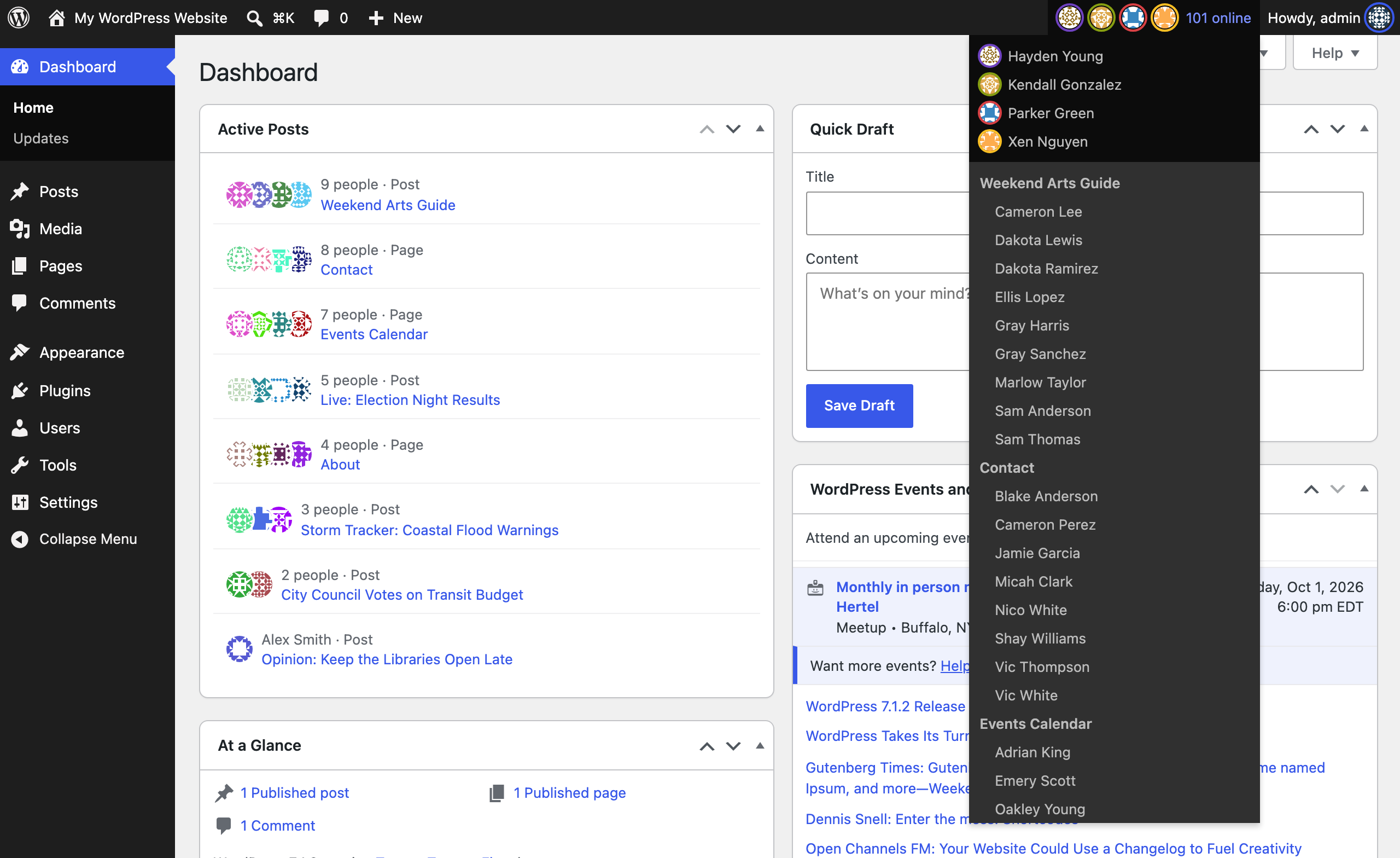
What you see #
- Faces in the admin bar for everyone online, and a menu saying where each person is.
- An Active Posts box on the dashboard, listing each post someone has open.
- An Editors column on the Posts screen, showing who has each post open.
- An Online view on the Users screen.
- A notice when someone else saves a screen you have open, so you do not overwrite their change.
How it knows #
The check-in is Heartbeat, which WordPress already sends from each open tab about once a minute. Each one renews your note, so when you close the tab you disappear from other screens within 150 seconds, without logging out.
Words used in these docs #
| Word | Meaning |
|---|---|
| Row | One saved note: this person is in this place, until this time |
| Room | A place people can be, such as the whole admin or one post |
| TTL | How long a row counts without being renewed, 150 seconds by default |
| Writer | Anything that saves rows, such as Heartbeat |
| Reader | Anything that shows rows, such as the admin bar |
Try it #
Presence Scenes in Playground opens a WordPress site in your browser, with nothing to install, and plays two people editing one post. Watch the faces in the admin bar.
Check your understanding #
You close your laptop lid with the dashboard open. How long do others still see you online?
Up to 150 seconds. Your tab stops checking in, so your note is no longer renewed and stops counting when its time runs out.