Limitations
WordPress Playground is under active development and has some limitations you should keep in mind when running it and developing with it.
You can track the status of these issues on the Playground Project board.
In the browser
Browser storage and recovery
Playground runs WordPress in the browser. New Playgrounds are autosaved when browser storage and saving are available, and they appear in Your Playgrounds. Playground keeps up to five recent autosaves. After five exist, creating another deletes the oldest one. Autosaves are recovery points, not long-term backups. Store an autosave permanently or export a ZIP when you want to keep it.
Use these storage modes deliberately:
- Autosaved: stored in browser storage and retained only while it is one of up to five recent autosaves.
- Saved: stored permanently in browser storage or saved to a local directory.
- Temporary: created with
?storage=tempor when saving is unavailable. It is discarded when the tab closes or the browser page refreshes.
The Playground Refresh page button reloads the WordPress page inside the current Playground. Browser refresh (Cmd+R or F5) reloads the whole Playground app. A stored or autosaved Playground can recover after that reload, but a temporary Playground cannot.
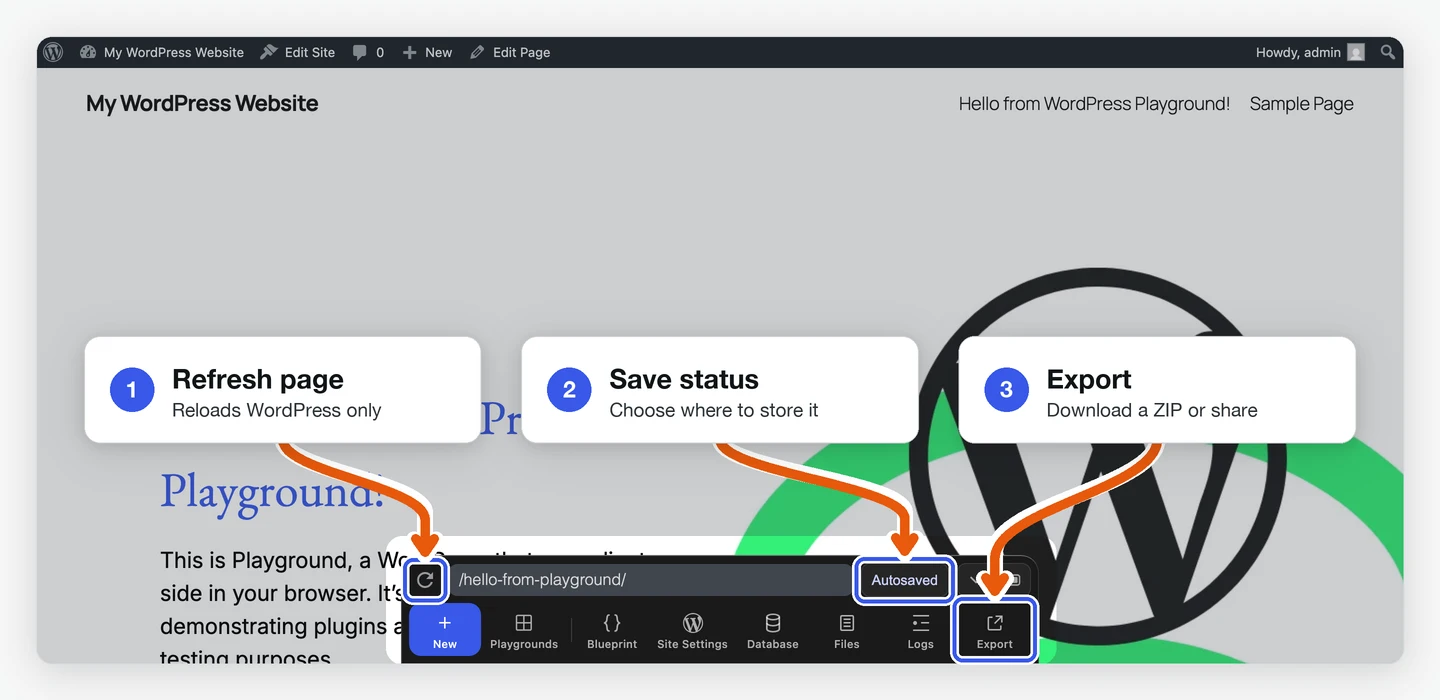
Browser storage still belongs to the browser. Storage pressure, private browsing, profile changes, or clearing site data can remove it. Export a ZIP when you need a portable backup.
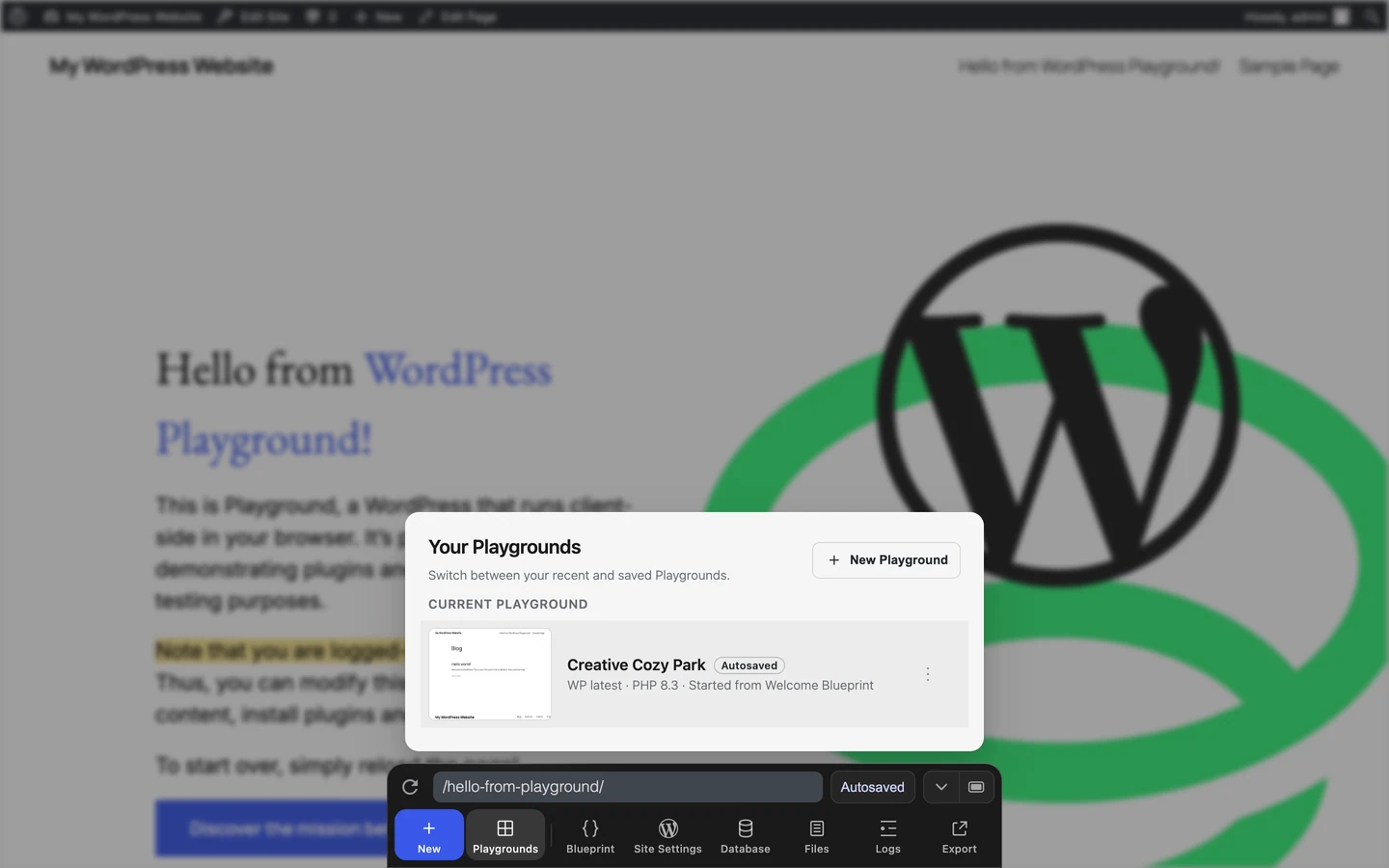
Browser support
WordPress Playground is designed to work across all major desktop and mobile browsers. This includes:
- Desktop browsers: Chrome, Firefox, Safari, Edge, and other Chromium-based browsers
- Mobile browsers: Safari (iOS), Chrome (Android), and other mobile browser variants
Playground leverages modern web technologies and should function consistently across these browser environments. However, some advanced features may have varying levels of support depending on the specific browser and its version.
Performance expectations
Loading times vary based on what Playground needs to set up:
| Scenario | Typical Load Time |
|---|---|
| Fresh WordPress (no plugins) | 5-10 seconds |
| With small plugins | 10-20 seconds |
| With large plugins (e.g., WooCommerce) | 30-60 seconds |
| On mobile devices | 1.5-2x slower than desktop |
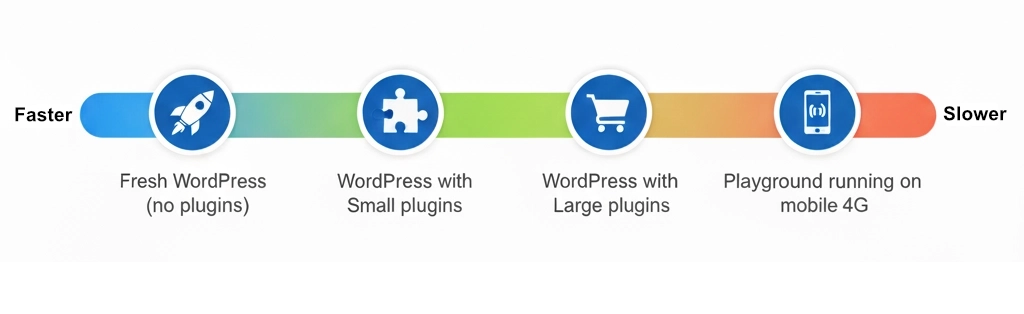
Factors that affect performance:
- Plugin size: Large plugins take longer to install at runtime
- Network speed: WASM files are 15-30MB
- Device memory: Low-memory devices may experience slowdowns
- Browser: Chrome/Edge perform best; Safari slightly slower
Note: Opera Mini support is not currently confirmed.
When developing with Playground
Iframe quirks
Playground renders WordPress in an iframe so clicking links with target="_top" will reload the page you’re working on.
Also, JavaScript popups originating in the iframe may not always display.
Run WordPress PHP functions
Playground supports running PHP code in Blueprints using the runPHP step. To run WordPress-specific PHP functions, you’d need to first require wp-load.php:
{
	"step": "runPHP",
	"code": "<?php require_once('wordpress/wp-load.php'); OTHER_CODE ?>"
}
Using WP-CLI
You can execute wp-cli commands via the Blueprints wp-cli step. However, since Playground runs in the browser, it doesn't support the full array of available commands. While there is no definite list of supported commands, experimenting in the online demo will help you assess what's possible.