Playground Contributor Badge
This page provides detailed information on the Playground Contributor Badge and the process of requesting it on your WordPress.org profile.
Getting Started
Any contribution to the WordPress Playground project is highly valued. The Playground team recognizes contributions across several key areas:
- Playground Code: Making code changes and reviewing the core project.
- Playground UI: Improving the user interface of the web experience.
- Documentation: Writing, updating, and reviewing documentation.
- Translation: Translating any part of the project.
- Blueprints Gallery: Creating new blueprints or improving existing ones.
Playground Contributor Badge
To get a Playground Contributor Badge, you must have made at least one eligible contribution from the list above. The team may choose to award the badge for other contributions or a combination of the above at the team’s discretion.

Playground Team Badge
If you are currently a contributor and have been actively involved in the Playground project for the past twelve months, you are eligible for a Playground Team Badge.

Requesting a Profile Badge
If you meet the criteria, you can request a badge. Please include links to resources (such as GitHub pull requests, issues, or translated strings) that show you have met the criteria. Send a request at the links bellow:
Request form
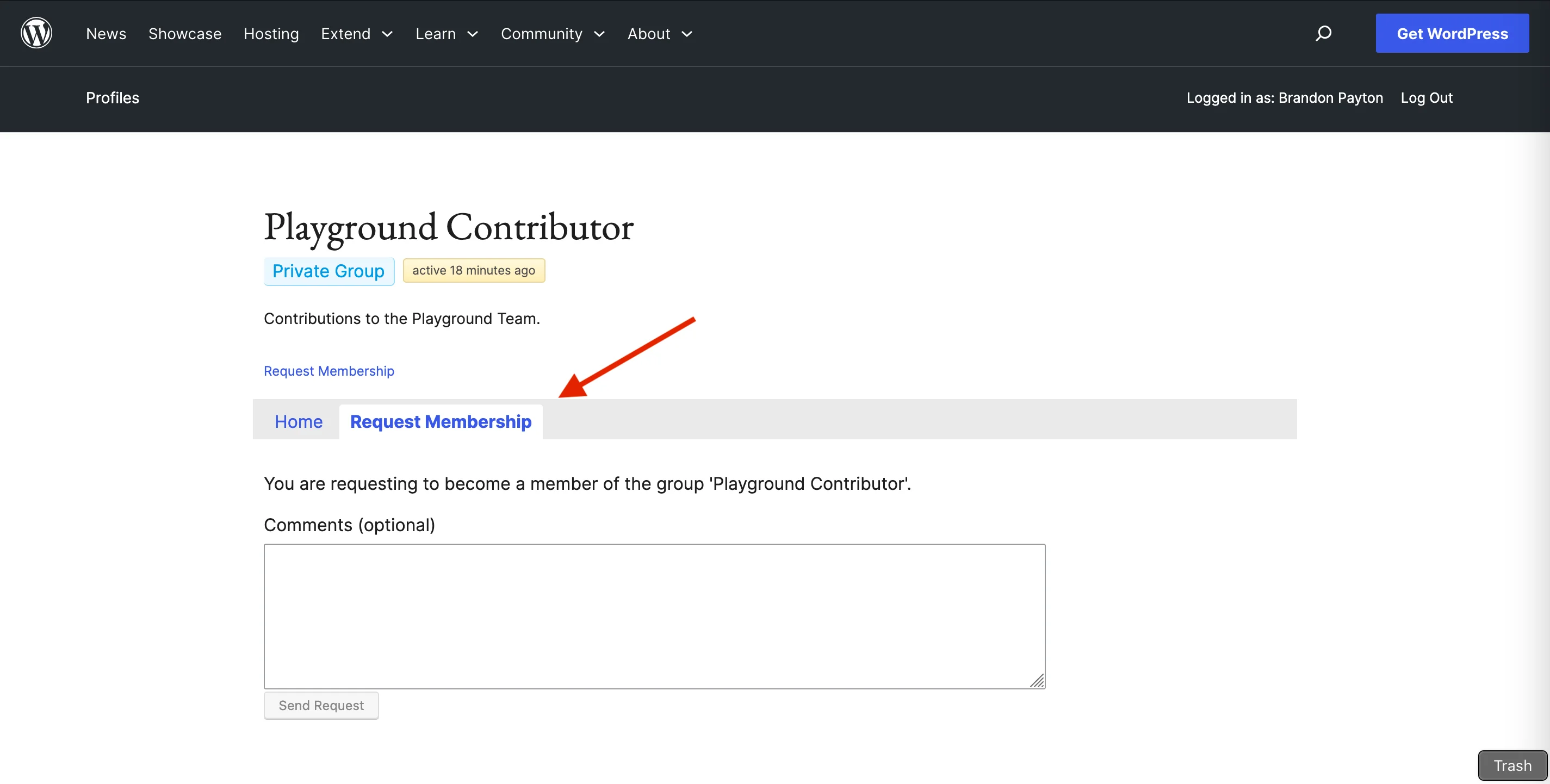
To access the request, the user should be logged in with their WordPress.org account and open the Request Membership tab, after submitting the required information. A Playground Team Representative will confirm your contribution and assign the badge. The team will perform a weekly review of contributions and award badges at that time. Updates on new badges awarded will be posted during the Playground Team meeting.